Use Cases
LearnFork for Students
The problem with linear chat
You're asking the AI how your body fights a cold. It mentions "white blood cells." You're not sure how those work, so you ask. That leads to a question about antibodies, then the immune system in general, then vaccines. Now your cold chat is all over the place and you've lost your original thread.
Linear chat forces you to choose: stay on topic and ignore gaps, or follow tangents and lose the thread. LearnFork eliminates that trade-off.
The LearnFork way
Think of your learning as a tree:
- Vertical (keep chatting) — go deeper on your main topic. Ask follow-ups, request more detail, continue the lesson.
- Horizontal (branch) — when you hit something you don't fully understand, branch off to explore it. Once you get it, go back to the main thread and keep going.
Each branch carries the full context from your main conversation, so the AI knows exactly what you were discussing when you branched.
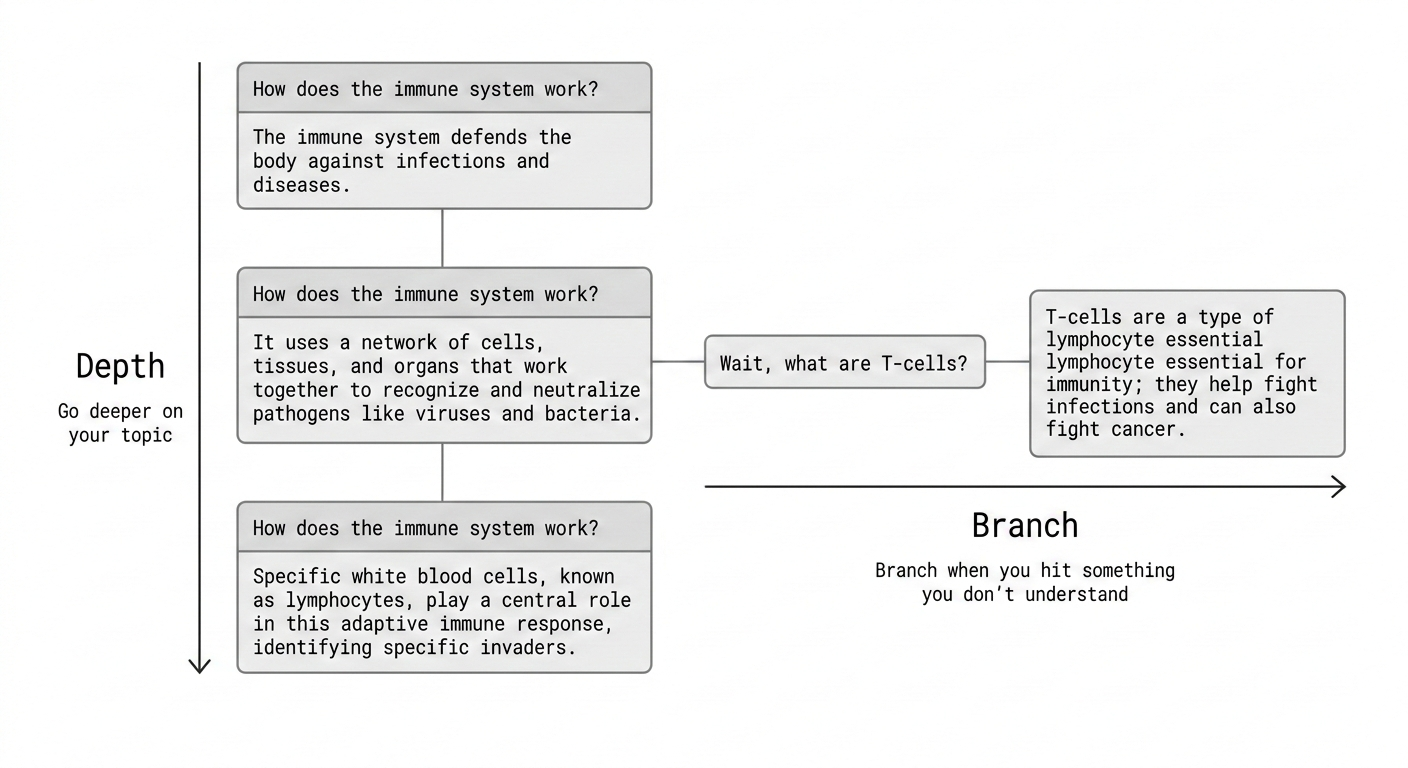
Step by step: studying a new topic
- Start a conversation with your topic: "Explain how the human body fights a cold, step by step"
- Read the AI's response. When it mentions something unfamiliar (e.g., "white blood cells"), hover over that response and click Branch
- In the new branch, ask: "What are white blood cells and how do they actually fight infections?"
- The AI explains using the full context of your original discussion — no need to repeat yourself
- If that explanation mentions something else you don't know (e.g., "antibodies"), branch again. Go as deep as you need.
- When you understand, go back to the parent node on the canvas and continue where you left off
Exam prep workflow
Create one root conversation per subject. Use branches to break down each subtopic. Use the "Quiz me" quick action to test yourself on any branch. Pin the answers you want to review later.
Tip
Use the Search feature on the home page to quickly find past explanations across all your study conversations.
Tips
- Pin key definitions and formulas so you can find them on the Pins page
- Use "Simplify" quick action when an explanation is too advanced
- Use "Go deeper" when you want the advanced version
- Select a specific term in a response and use "Google" to cross-reference with other sources
- Your canvas becomes a visual study map — screenshot it for revision